

On this page 7 sections
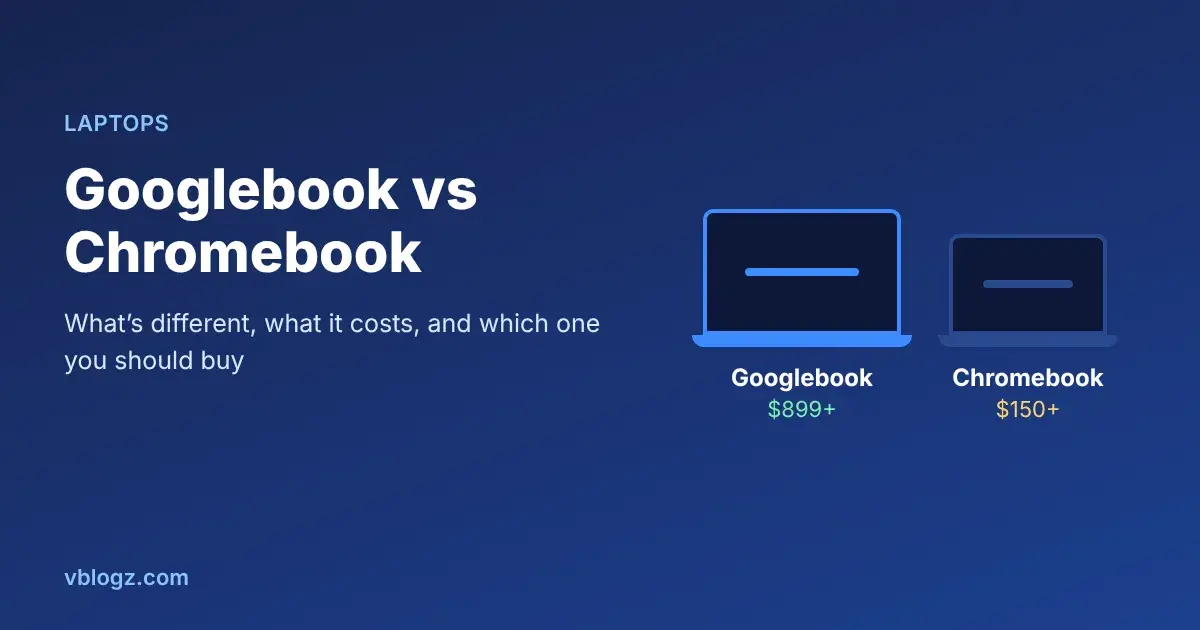
A Googlebook is Google's new premium laptop line, running an Android-based operating system called Googlebook OS with Gemini AI built in. A Chromebook runs ChromeOS and is mostly a cheap, simple laptop for the web and Google apps. Googlebooks start at $899. Chromebooks usually cost $150 to $600. Chromebooks aren't going away, so the real question is whether you need what the extra money buys.
Googlebooks went on sale on 4 October 2026 in the US and a day later in Canada, the UK, Ireland, France, Germany and Australia. Google hasn't announced India availability yet.
The short version
- Buy a Googlebook if you use an Android phone heavily, want a premium laptop (OLED screen, metal body, long battery) and expect to use Gemini AI features every day.
- Buy a Chromebook if you want an affordable laptop for browsing, Google Docs, YouTube and schoolwork, or you're buying for a child or an older parent.
- Buy neither if you need specific Windows software (Tally, AutoCAD, many games) or you live in the Apple world with an iPhone. Googlebook's phone features don't work with iPhones.
Googlebook vs Chromebook, side by side
| Googlebook | Chromebook | |
|---|---|---|
| Operating system | Googlebook OS (built on Android) | ChromeOS |
| Price range | $899 to $1,299 at launch | Roughly $150 to $600+, premium models higher |
| Apps | Desktop Chrome with extensions, Android apps from Google Play, Linux terminal, Microsoft 365 apps, Photoshop and Lightroom | Chrome, web apps, Android apps on most models, Linux on many |
| AI | Gemini Intelligence built into the OS | Gemini features on newer Chromebook Plus models |
| Hardware | Intel Core Ultra or Snapdragon X Elite, 16 GB RAM minimum at launch, mostly OLED screens | Wide range, many with 4-8 GB RAM and basic screens |
| Phone integration | Deep, with Android 17 phones | Basic (Phone Hub) |
| Updates | Up to 10 years, says Google | Up to 10 years on recent models |
Specs and prices are from TechRepublic's Googlebook cheat sheet and Tom's Guide.
What's actually new in Googlebook OS
The big change is under the hood. ChromeOS was built around the Chrome browser, with Android apps added later and sometimes awkwardly. Googlebook OS is Android at its core, adapted for laptops with proper windows, a desktop-class Chrome browser and Chrome extensions. Android apps run natively instead of in a compatibility layer, which should mean fewer apps that open stretched or crash.
The Gemini features are the part Google is selling hardest:
- Magic Pointer: wiggle the cursor over anything on screen and Gemini pops up to explain, summarise or act on it.
- Rambler: speak naturally, with all the ums and restarts, and it turns your speech into clean, structured text. It works in several languages.
- Create My Widget: describe a desktop widget in plain words ("show my next three meetings and the weather") and it builds one.
- Gemini Live and longer tasks that can keep running after you close the lid.
With an Android phone on Android 17 or later, you also get Cast My Apps (run phone apps in a laptop window), Continue On (pick up a task from the phone on the laptop) and Quick Access to phone files.
The five launch models and prices
| Model | Processor | Screen | US price |
|---|---|---|---|
| Acer Googlebook 14 | Intel Core Ultra 5 | 14-inch 2.8K OLED, convertible | $899 |
| XPS Googlebook | Snapdragon X Elite | 13.4-inch 2.5K LCD | $999 |
| Lenovo Googlebook 15 | Intel Core Ultra 5 | 15.3-inch 2.8K OLED | $1,099 |
| ASUS Googlebook 14 | Intel Core Ultra 5 | 14-inch 2.8K OLED | $1,299 |
| HP Googlebook 14 | Snapdragon X Elite | 14-inch 2.8K OLED | $1,299 |
Every Googlebook bought and activated from 1 October 2026 comes with 12 months of Google AI Pro, which includes 5 TB of cloud storage. Redeem it by 31 March 2027. It renews at $19.99 a month afterwards unless you cancel, so set a reminder.
The Acer is the value pick on paper: an OLED touchscreen, convertible design and 16 GB of RAM for $899. The Snapdragon models (XPS and HP) claim the longest battery life, up to 18-19 hours in Google's browsing tests.
What happens to Chromebooks?
Google says Chromebooks will keep being sold and supported, and Googlebooks sit above them at the premium end. If you own a Chromebook, it keeps getting ChromeOS updates until its listed end date, which on recent models is up to 10 years from release. Google hasn't said that existing Chromebooks will be upgraded to Googlebook OS, so don't buy a Chromebook expecting that.
For students, schools and anyone on a budget, a Chromebook is still the sensible buy. A $300 Chromebook does browsing, Docs, Classroom and video calls just as well as a $1,000 Googlebook.
Googlebook vs a Windows laptop or MacBook
At $899 to $1,299, a Googlebook is competing with mid-range Windows laptops and the MacBook Air, not with Chromebooks. A Windows laptop runs more desktop software. A MacBook Air works best with an iPhone. The Googlebook's case is strongest for people whose life already runs on an Android phone and Google services and who want AI tools built in rather than added on.
If you're weighing up a Windows PC instead, check our guide to keeping Windows 10 secure until 2027 before replacing an older machine.
Frequently asked questions
Is Googlebook available in India?
Not yet. The launch countries are the US, Canada, the UK, Ireland, France, Germany and Australia. Google hasn't given an India date or price.
Can a Googlebook run Android apps?
Yes, from Google Play, and because the OS is built on Android they run natively. It also runs desktop Chrome, Chrome extensions and Linux tools.
Is a Googlebook worth it over a Chromebook?
Only if you'll use the premium hardware and Gemini features. For browsing, documents and schoolwork, a good Chromebook gives you most of the experience for a third of the price.




Comments 0
No comments yet. Start the conversation.